
Data Collection Training
DeepWalk's training gives you a comprehensive understanding on how to scan using our iPhone LiDAR app, so you can capture accurate, reliable data. In under 20 minutes, you will be ready to start your first scan.
Training Update: Our modules are now available on the DeepWalk web app. If you've completed our training before, please review the modules for the latest updates.
Start Training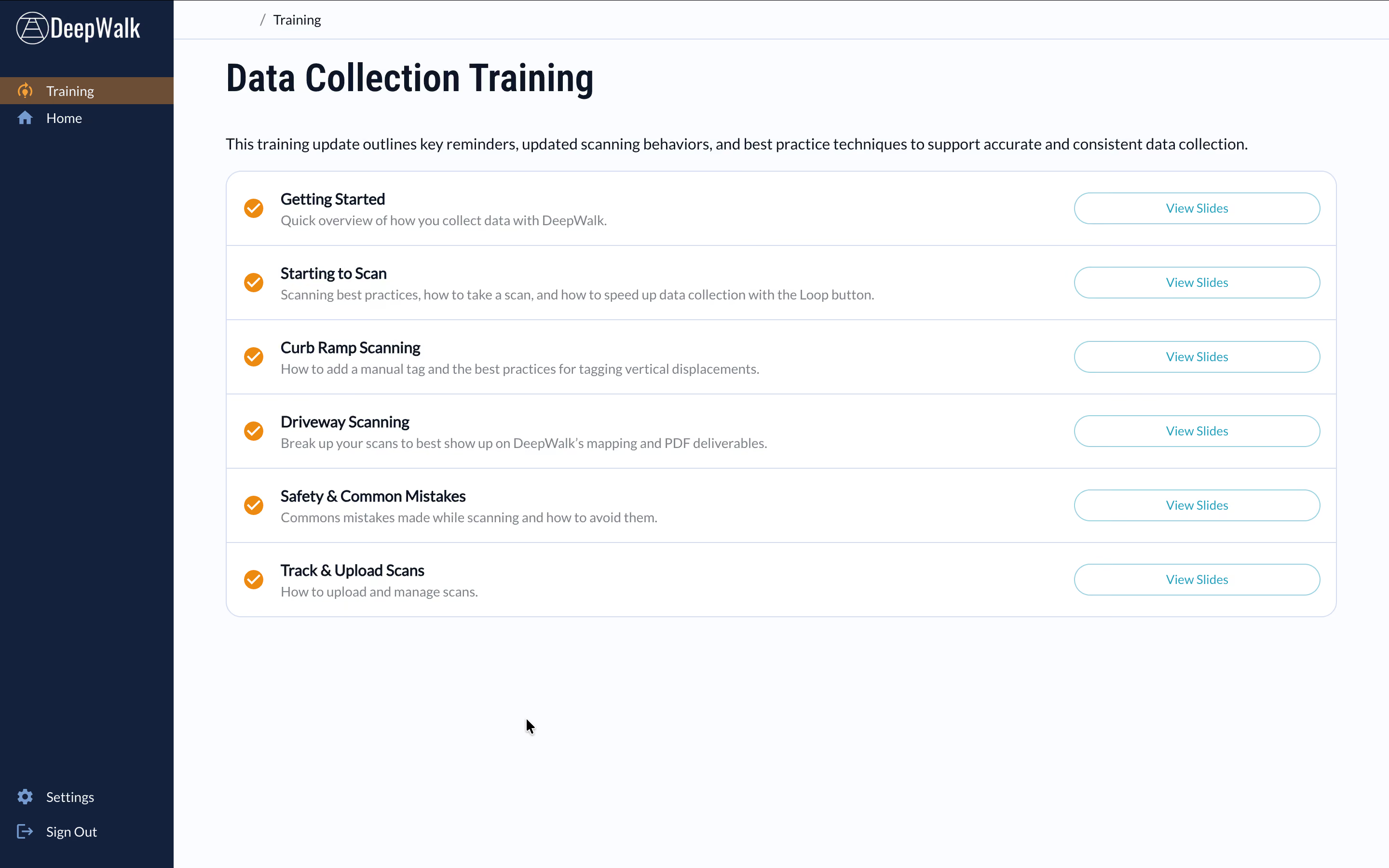
Before You Begin
- Create an organization on the web app
- Invite new users and set permissions to be the scanner role
- Configure your project to include data collection plans and custom tags
- Connect to wifi and download the app
- Login on the mobile app and choose the correct project
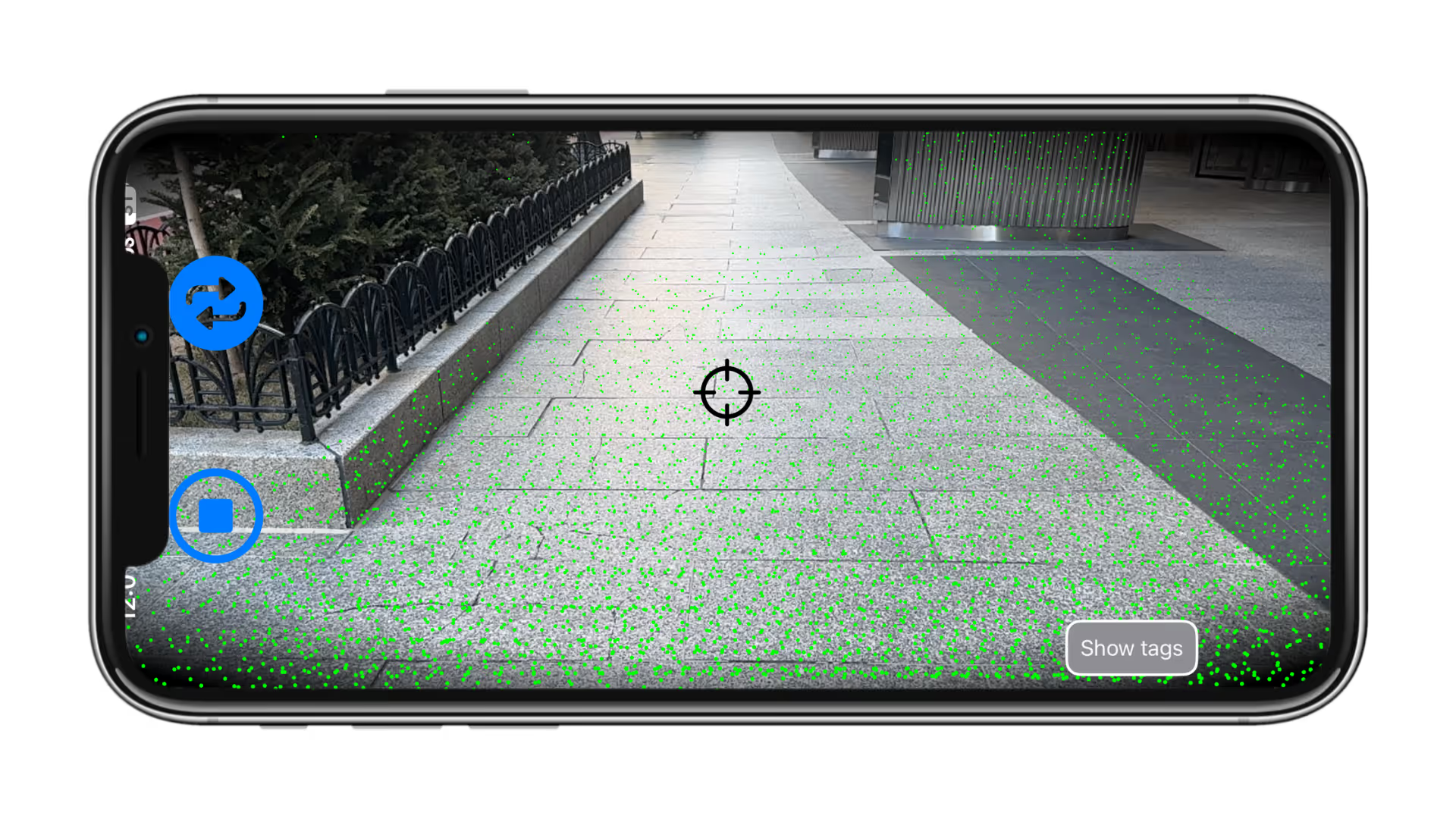
Required Scanning Equipment
- iPhone 15 Pro or later is recommended by DeepWalk
- iPhone 12 Pro or later is eligible
- iPad Pro, specifically 2020 or later, is eligible
Safety and Equipment Requirements
- Recommended iPhone and charging accessories
- Class 2 or class 3 high visibility vest
- Never scan in the street
- Pay attention to avoid collisions
Best Practices

Hold the device at chest height
Center yourself in the walkway
Walk at a slightly slower pace
Avoid feet, fingers, or accessories in the view of the camera and LiDAR sensor
Capture ramps and midblocks in separate scans
Do not exit the app when uploading the scans
Common Mistakes

Avoid wide movements on sidewalk less than 11 feet wide
Avoid pointing the device straight at the ground
Do not make sharp turns or 360 degree pivots
When placing tags, do not stop and place multiple tags for one hazard
Avoid scanning in snowy or rainy conditions
Avoid scanning when the sidewalk is covered with foliage
Please contact support@deepwalkresearch.com if any issues, additional questions, or concerns occur.
From our users.

"DeepWalk has made developing ADA transition plans so much easier and consistent. The tool has allowed us to develop more in-depth information for cities that are developing their plans and given us easy-to-use dashboards for project evaluation and development."
Don Kostelec
Principal, Vitruvian Planning

"As a professional transportation data collection firm named "Quality Counts," we take our commitment to quality very seriously. We rely on DeepWalk to enable efficient data collection and deliver the quality output our clients require. DeepWalk allows us to scale efficiently, allowing us to provide our clients with cost-effective PROW/ADA data collection solutions."
Jay McComb
Senior Principal, Quality Counts

"DeepWalk exponentially increased the speed in which we can identify compliant versus non-compliant pedestrian facilities. With very little training, our operator was able to scan at nearly a walking pace. This replaced a very slow, manual process of tape measures, levels, and clipboards to document existing conditions."
Chad Millner
Director of Engineering - Edina, MN

"I'm super pumped. I don't see a city of our size being able to develop a sidewalk maintenance program with the staffing we have, and actually be proactive, without a software like DeepWalk."
Lucas Smith
Director of Public Works - Genoa, IL

"DeepWalk has allowed us to assess pedestrian facilities in a more efficient manner. In addition to cost savings, it also limits our field crews' exposure to vehicular traffic, increasing safety."
Travis Helmkamp
Project Manager, Oates Associates

“We were very happy with the efficiency of the DeepWalk tool. Every municipality we work with uses GIS, so this system could be replicated across the country with a public sidewalk system.”
Tatum Storey
Accessibility Practice Principal - Operations, WT Group
DeepWalk in Action
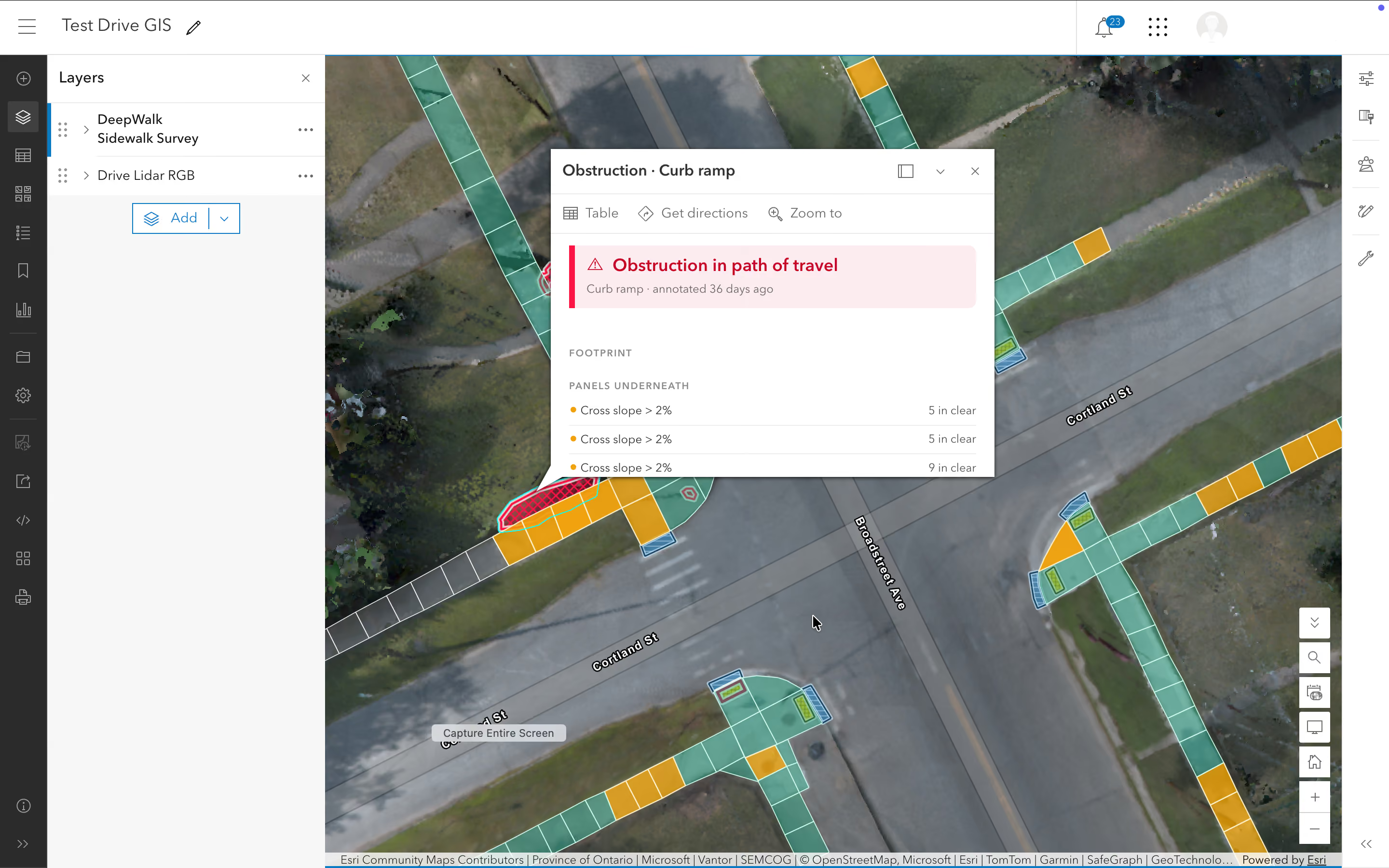
Two-way Sync Sidewalk Data in Esri's ArcGIS
DeepWalk Drive connects your sidewalk data to ArcGIS through a live, two-way feature service. Updates in either system are reflected in the other automatically, with no exports, shapefiles, or re-uploads. Learn more about Drive and ArcGIS!
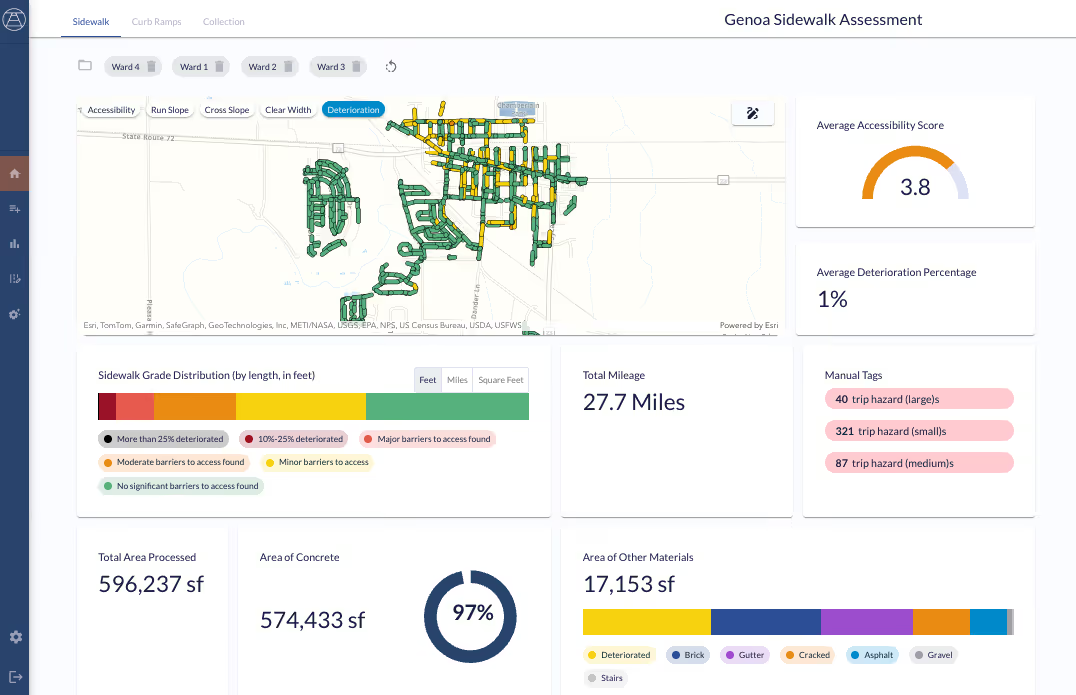
Turning Assessment into Action: How Genoa, IL Uses DeepWalk for Sidewalk Inspections
See how Genoa used DeepWalk to take them from data collection to program implementation, earning statewide recognition
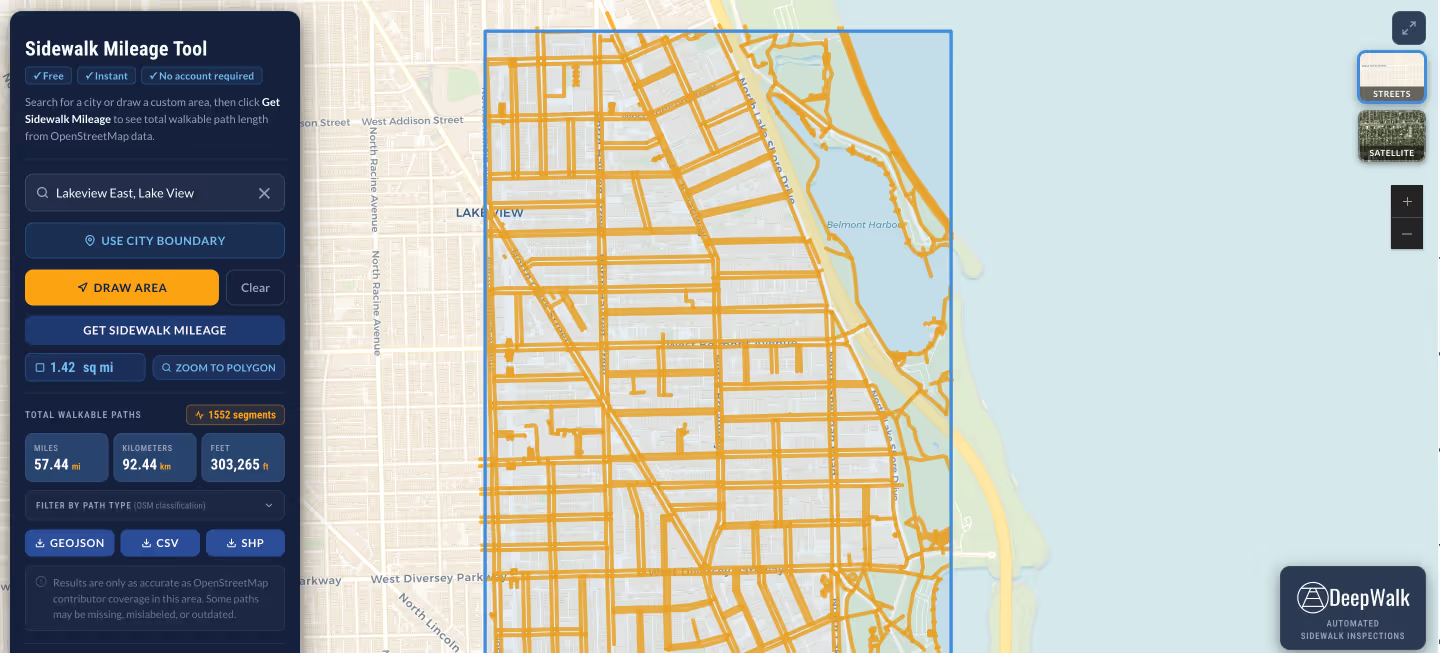
Free Sidewalk Mileage: How Cities Can Use DeepWalk and OpenStreetMap for Sidewalks
Discover how cities and consultants can use OpenStreetMap and DeepWalk to estimate sidewalk mileage and build a complete, field-verified pedestrian inventory.
.avif)